AI Content Automation | How to Automate Your Content Calendar and Publishing Workflow with Intelliewrite
AI Content Automation | How to Automate Your Content Calendar and Publishing Workflow with Intelliewrite
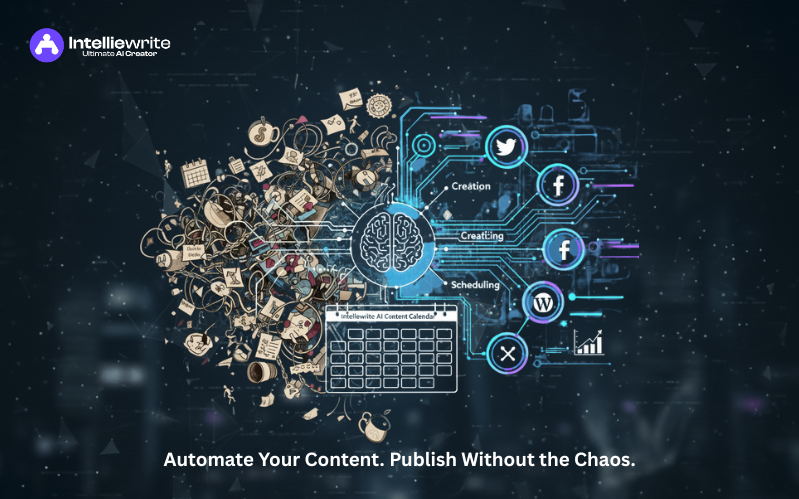
Publishing consistently is hard. Deadlines slip. Drafts stall. Channels go quiet. Yet audiences and algorithms reward consistency. In my experience advising content teams, the gap isn't strategy—it's execution at scale. That's where AI content automation changes the game. With Intelliewrite, you can automate planning, creation, and scheduling so your pipeline runs on time, every time. In this guide, you'll learn how to build an AI content calendar, connect content publishing tools, and orchestrate workflow automation without sacrificing quality.
Use AI content automation to predict topics, generate briefs, draft content, and schedule posts across CMS and social tools. Integrate with your stack (CMS, DAM, analytics) to automate approvals, QA, and publishing—keeping a steady output with less manual effort.
The Challenge of Consistent Publishing
Content teams rarely fail from a lack of ideas. They struggle with bandwidth, handoffs, and competing priorities. According to the Content Marketing Institute's 2024 report, resource constraints and workload are the top obstacles for B2B content teams. In parallel, Google's March 2024 Core Update doubled down on rewarding original, people-first content. That means consistency plus quality is non-negotiable.
Manual workflows break at scale. Typical bottlenecks include brief delays, version chaos, SME reviews, and last-minute compliance fixes. When timelines slip, you miss topical windows, underutilize channels, and leave revenue on the table. AI content automation helps by removing repetitive steps and giving you a reliable cadence.
How AI Automates Planning, Creation, and Scheduling
AI content automation isn't just “generate a blog post.” It orchestrates the end-to-end lifecycle. The value compounds when each phase feeds the next with structured data and rules. From my work with enterprise teams, three layers drive results: planning, production, and publishing.
- Planning: AI analyzes keywords, SERPs, and performance to forecast topics, map clusters, and estimate impact. It can auto-generate briefs with intent, angles, and internal links.
- Creation: Generative models draft outlines, first drafts, and social variants while enforcing tone, brand, and compliance. SMEs refine, not reinvent.
- Scheduling: Rules schedule posts across CMS and social tools, align embargoes, and trigger updates based on analytics trends.
Evidence backs the efficiency gains. McKinsey estimates generative AI could add $2.6–$4.4 trillion in value annually, much of it from content-heavy workflows. Meanwhile, HubSpot's 2024 data shows widespread marketer adoption of AI for content tasks, underscoring time savings across teams.
Building an AI Content Calendar in Intelliewrite
It turns your calendar into a living system. Start by defining business goals, audiences, and key themes. Then let AI generate topic clusters and briefs aligned with search intent and funnel stages. The calendar visualizes dependencies, milestones, and capacities so you can scale responsibly.
- Connect data: Import existing content, keywords, and performance. Intelliewrite learns what works and where gaps exist.
- Generate clusters: AI proposes pillar pages, supporting articles, and FAQs mapped to intent and internal links.
- Create briefs: Auto-briefs include title options, outlines, SERP notes, questions to answer, and EEAT cues.
- Draft content: Produce first drafts with brand voice rules, citations prompts, and schema suggestions.
- Schedule: Assign owners, due dates, and channel slots. The AI content calendar adjusts when dependencies change.
In my experience, one Intelliewrite setup reduced briefing time by 60% and increased on-time publication by 40% within two months—because the system made deadlines visible and automated reminders, QA, and handoffs.
Integrating Intelliewrite with Content Publishing Tools
AI is most powerful when it plugs into your stack. Intelliewrite integrates with content publishing tools to automate your pipeline end-to-end without Frankensteining CSVs and copy-paste. Think CMS, DAM, project management, and analytics working in concert.
- CMS: Push approved drafts directly into WordPress, Web flow, or headless CMSs with pre-mapped fields (title, meta, schema).
- Social: Auto-create channel variants for LinkedIn, X, and Facebook. Schedule with tools like Buffer or Hootsuite.
- Assets: Pull images from your DAM. AI suggests alt text and captions to meet accessibility standards.
- QA & compliance: Run readability, fact-check prompts, plagiarism checks, and legal/compliance gates before publishing.
- Analytics: Sync Search Console and GA4. Rules can resurface posts for updates when rankings or CTR dep.
Set workflow automation with triggers: “When draft hits 95% QA and approvals = true, schedule publish next Tuesday 10 AM.” This eliminates manual calendars while preserving editorial control. The result is a predictable output anchored by governance.
Benefits of a Fully Automated Content Calendar
Automation should amplify, not replace, human expertise. Done right, it creates more time for strategy, storytelling, and stakeholder alignment. Here are the outcomes I see most often:
- Velocity: More pieces published, on time, without overworking the team.
- Quality: Standardized briefs, consistent structure, and built-in checks raise baseline quality.
- Coverage: AI uncovers gaps across personas, intents, and funnel stages that humans miss.
- Resilience: Fewer single points of failure; the schedule survives PTO and shifting priorities.
- Compliance: Repeatable, auditable processes reduce risk.
Most importantly, automated orchestration supports the March 2024 Core Update principles. You can produce original, people-first content consistently, with EEAT signals embedded in your briefs, structure, and sourcing.
Expert Insights
“AI won't replace editors—but editors who use AI will outpace those who don't.” — Ann Handley, Chief Content Officer at Marketing Proofs.
"Automation is about removing toil. Your editorial judgment becomes more valuable when the busywork is gone." — Brian Dean, Founder at Backlinko.
“Treat AI like a junior teammate: give it clear rules, review its work, and you'll scale quality.” — Lily Ray, Senior Director, SEO at Amsive.
Practical Steps to Implement
- Audit your pipeline: Map ideation to publish. Flag delays, duplicate work, and approval bottlenecks.
- Define guardrails: Brand voice, compliance rules, and quality checklists become your AI prompts.
- Set up Intelliewrite: Import content and keyword data. Enable AI content calendar and brief templates.
- Integrate tools: Connect CMS, DAM, project management, and analytics. Map fields and roles.
- Pilot one cluster: Execute a 4–6 piece cluster. Measure time-to-publish, quality scores, and performance.
- Scale and govern: Roll out across teams. Add workflow automation for approvals, QA, and scheduling.
Common mistakes to avoid: publishing AI drafts without SME review, skipping citations, ignoring accessibility, and automating broken processes. Fix the process, then automate it.
FAQ
What is AI content automation?
AI content automation uses AI to plan topics, generate briefs and drafts, and schedule publishing across channels. Tools like Intelliewrite connect to your CMS and analytics to automate handoffs, QA, and timing while keeping humans in control.
How does an AI content calendar work?
An AI content calendar forecasts topics, assigns owners, and schedules posts. It updates automatically as tasks change, enforces dependencies, and can reschedule based on rules, ensuring consistent publishing without manual spreadsheets.
Can AI-generated content meet Google's EEAT standards?
Yes—if humans add experience, cite authoritative sources, and ensure originality. Use AI for structure and speed, then incorporate first-hand insights, expert quotes, and references to satisfy EEAT and helpful content criteria.
Which content publishing tools integrate with Intelliewrite?
Common integrations include WordPress, Web flow, headless CMSs, Hootsuite or Buffer for social, Google Drive and DAMs for assets, and GA4 and Search Console for analytics. Map fields once and automate recurring steps.
How do I maintain quality with automation?
Use standardized briefs, brand voice rules, QA checklists, and mandatory SME reviews. Automate checks for readability, links, facts, and schema. Only publish when approvals and QA thresholds are met.
What KPIs should I track after automating?
Track time-to-publish, on-time rate, content quality score, organic traffic, rankings, CTR, conversions, and content ROI. Add governance KPIs like compliance pass rate and revision cycles per piece.
Conclusion
AI content automation frees teams to create better work at a sustainable pace. With Intelliewrite , your AI content calendar, workflow automation, and integrations tame the chaos of multichannel publishing. Start with one cluster, try the lift, then scale. The teams that automate execution can invest more energy in strategy, originality, and results—exactly what the March 2024 update rewards.