

Intelliewrite AI Voiceover: Create Professional Video Narration with AI
Intelliewrite AI Voiceover: Create Professional
How to Use Intelliewrite's AI Voiceover for Video Marketing (Step-by-Step Guide)
Video marketing grabs attention faster than any other content format—but only when people stay to watch. And that doesn’t happen with visuals alone. Audio quality plays a massive role in whether viewers keep watching or click away.
Recording voice-overs manually takes time, equipment, and confidence. Hiring voice artists increases cost and slows production. This is why more creators and marketers are turning to AI voiceover for video marketing, and specifically to Intelliewrite's feature.
In this guide, you'll learn how to create professional, natural-sounding AI voiceovers using this tool, how they fit into modern marketing workflows, and how to avoid common mistakes. Whether you're a beginner or a growing marketing team, this article will help you use AI voiceovers the right way.
What Is Intelliewrite's Voiceover Feature?
It is a built-in AI voice generator for videos that converts written text into realistic, human-like speech. It allows users to create voiceovers for videos without recording audio manually.
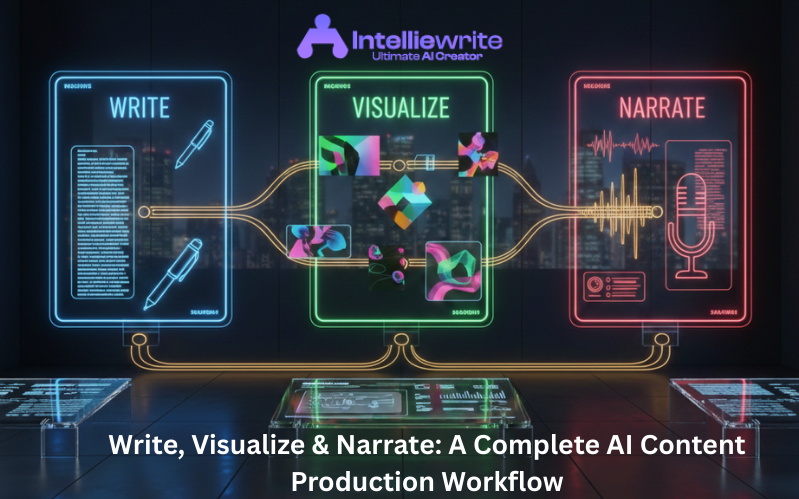
Instead of switching between multiple tools, this AI tool enables a script-to-voice workflow, letting you create your content and narration in one place.
What Makes it Different?
- Clean, easy-to-use interface
- Natural-sounding AI voice output
- Optimized for marketing and content creators
- Works for YouTube, ads, social media, and explainer videos
This makes it a practical AI voiceover software for content creators who want speed without sacrificing quality.
Why Use AI Voiceovers for Video Marketing?
Audio quality directly affects how long people stay on your video. Even the best visuals struggle to perform if the narration sounds unclear or inconsistent. Using professional AI voiceovers helps solve this problem and makes video content more engaging and scalable.
Benefits of Using Intelliewrite for AI Voiceovers
This is why AI voiceover for video marketing has become a standard practice rather than a short-term trend.
Step-by-Step Guide: How to Create AI Voiceovers with Intelliewrite
This step-by-step AI voice-over tutorial shows precisely how to use its voice-over feature.
Step 1: Create or Import Your Video Script
Start with a clear, conversational script. Short sentences and natural phrasing work best for AI narration.
Tips:
- Write as you speak
- Avoid long paragraphs
- Use simple English
It helps you refine scripts before converting them into voiceovers.
Step 2: Choose Intelliewrite's AI Voiceover Feature
Once your script is ready, open its voiceover tool. for it
This feature uses text-to-speech AI to convert your text into audio instantly.
The procedure is beginner-friendly; no technical knowledge is required. is required
Step 3: Select a Natural-Sounding AI Voice
Choose from available voice options based on:
- Tone (professional, calm, energetic)
- Content type (ads, tutorials, explainer videos)
- Platform (YouTube, social media, marketing videos)
This AI tool focuses on natural-sounding AI voice output, which improves viewer trust and engagement.
Step 4: Generate Professional AI Narration
Click generate and preview your voiceover.
Before finalizing:
- Check pronunciation
- Adjust pacing if needed
- Ensure tone matches your message
This step ensures you create professional AI voiceovers suitable for marketing use.
Step 5: Export and Sync with Your Video
Download the audio and add it to your video editing software.
This completes your workflow for creating an AI-generated voice using our tool.
How Intelliewrite Fits into a Modern Video Marketing Workflow
It is more than just a voice tool. It supports a complete AI voiceover workflow for marketing content.
A typical workflow looks like this:
- Topic and keyword research
- Script creation inside it
- AI voiceover generation
- Video editing and publishing
- Content optimization and reuse
This unified approach saves time and keeps your content consistent.
AI Voice for YouTube Videos Using Intelliewrite
YouTube creators use its voiceover feature for:
- Educational videos
- Product reviews
- Faceless content channels
- Tutorials and explainers
Using an AI voice for YouTube videos allows creators to publish regularly without burnout or recording fatigue.
AI Voice for Social Media Videos and Ads
Short-form content demands speed.
Intelliewrite helps marketers create:
- Instagram Reels
- TikTok videos
- Facebook ads
- YouTube Shorts
With AI video narration for ads and social media, teams can test multiple versions of the same video quickly.
AI Text-to-Speech for Video Ads
For paid campaigns, messaging clarity matters more than ever.
Using AI text-to-speech for video ads inside Intelliewrite allows:
- Fast A/B testing
- Localization for different regions
- Consistent ad messaging
This makes our valuable tool valuable for performance-driven marketing teams.
Best Practices When Using Intelliewrite AI Voiceovers
Follow these best AI voiceover practices for marketing to get the best results:
- Keep scripts short and conversational
- Match voice tone with brand personality
- Avoid stuffing too much information into one video
- Test voiceovers on mobile devices
- Review output before publishing
Human review combined with AI speed delivers the best outcome.
Common AI Voiceover Mistakes to Avoid
Even with good tools, mistakes can happen.
Mistakes to Avoid in Videos
- Writing robotic scripts
- Using the wrong voice tone
- Ignoring pronunciation errors
- Overpowering narration with background music
- Publishing without previewing
This AI voice generator for videos helps reduce these issues, but strategy still matters.
How Realistic Are Intelliewrite's AI Voiceovers?
A common question is whether AI voiceovers sound real.
Thanks to advanced models, it produces human-like AI voiceovers for video content that sound natural and professional.
While no AI is identical to a human actor, the quality is more than sufficient for:
- Marketing videos
- Social media content
- Educational videos
- Product demos
For most use cases, viewers cannot tell the difference.
Who Should Use Intelliewrite's AI Voiceover Feature?
Intelliwrite is ideal for:
Content creators and YouTubers
Marketing teams and agencies
SaaS and startup brands
Educators and course creators
Social media managers
Marketing teams and agencies
SaaS and startup brands
Educators and course creators
Social media managers
It's also great for beginners, thanks to its AI voiceover tools.
FAQs About AI Voiceovers
How to generate voiceovers with AI using Intelliwrite?
Write or paste your script, select the voiceover feature, choose a voice, and generate the audio instantly.
How can you use artificial intelligence to generate videos with a voiceover?
Use Intelliwrite to create scripts and AI narration, then combine the audio with visuals using a video editor.
How realistic are AI-generated voiceovers in Intelliewrite?
Intelliwrite produces natural, clear, and professional AI narration suitable for marketing and content creation.
How to create videos using AI voiceover?
Create your script, generate the AI voiceover with Intelliewrite, sync it with video visuals, and publish.
Final Thoughts: Why Intelliwrite Is a Smart Choice for AI Voiceovers
AI voiceovers are no longer optional in video marketing. They are a productivity and scalability tool.
With Intelliewrite's AI voiceover feature, you can:
- Create engaging video and audio using AI
- Save time and production costs
- Maintain consistent brand voice
- Scale video content efficiently
Instead of juggling multiple tools, Intelliwrite brings writing and voice generation together into a single, streamlined platform.
If you want to create professional videos faster without compromising quality, Intelliewrite's AI voiceover feature is built for just that.